ThreatQ Integration
Welcome ThreatQ users! Below are instructions on how to ingest HoneyDB’s bad hosts data into the ThreatQ platform.
What are bad hosts?
A bad host is a host on the Internet that has connected or attempted to connect to one of the honeypots that feed data to HoneyDB. In general, there is no legitimate reason for any host to connect to these honeypots. So those that do can be considered bad, and a potential threat.
Step 1
Create an account — sign in here to create your account.
Step 2
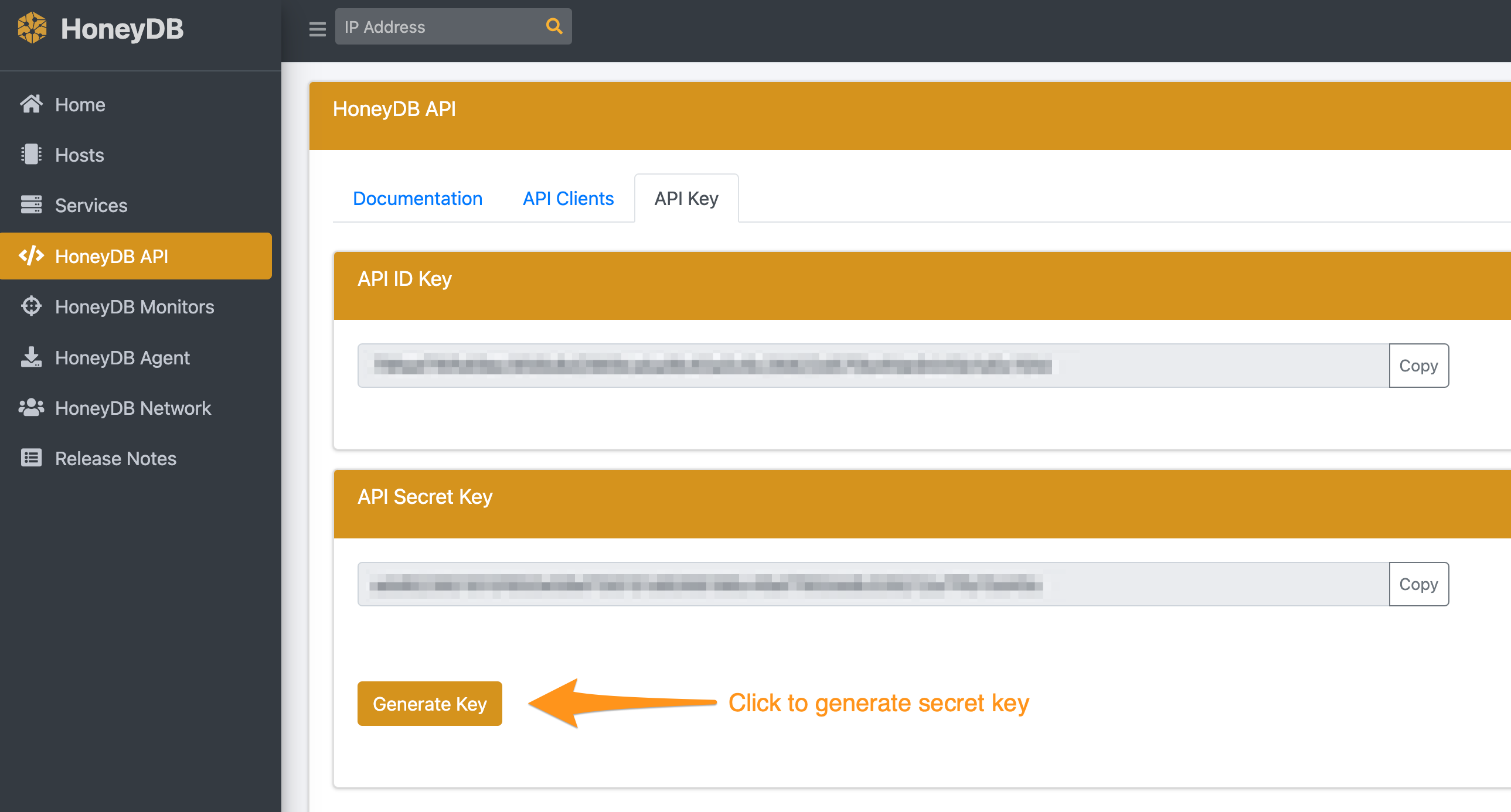
Obtain your HoneyDB API ID key and secret key. Once you’ve signed in, go to the API Keys section of the HoneyDB API page and click “Generate Key” to create the secret key.
Step 3
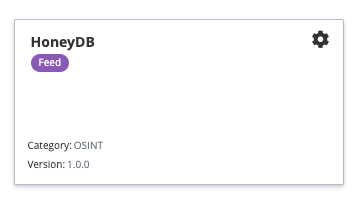
In ThreatQ, navigate to integrations and search for “HoneyDB”. Click on the HoneyDB tile to enable and configure it.
Step 4
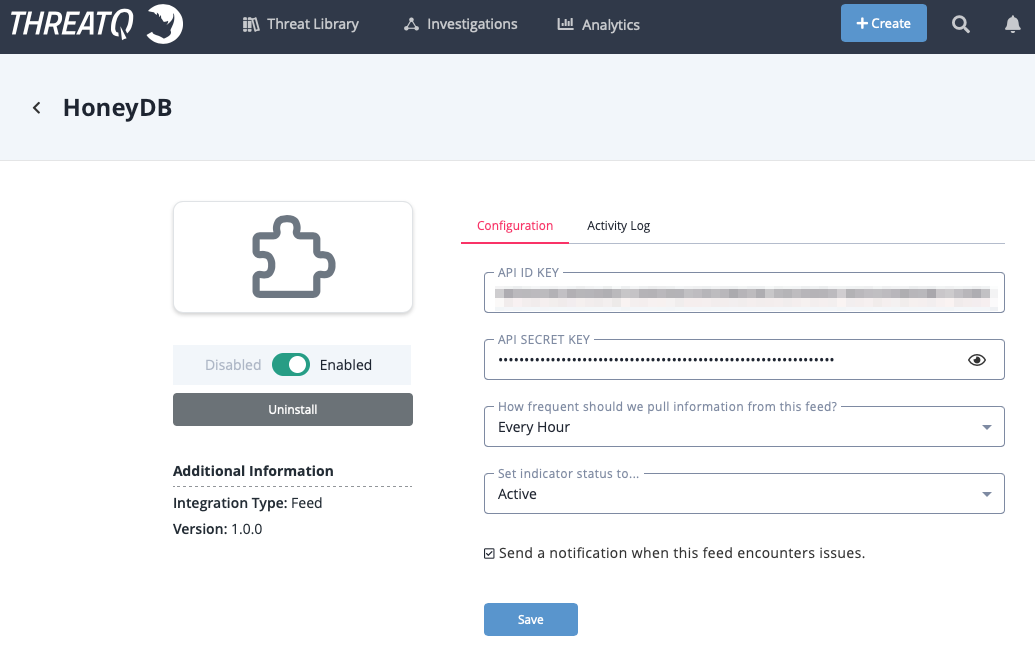
In the configuration tab, enter your HoneyDB API ID KEY and API SECRET KEY. Select the frequency for pulling the data feed. Note, hourly consumes approximately 720 QPM, and daily consumes approximately 30 QPM. Click Save to save your configuration.
Next, click the toggle button to enable the HoneyDB integration. You have now completed setting up the HoneyDB ThreatQ integration!
If you have any questions you can contact us using this form.